
Take paid bookings through LINE.
We’ll help you get set up—for free.
Let customers choose an appointment, pay in Japanese yen and receive their booking confirmation through LINE. Business Box keeps your bookings, staff schedules and connected calendars organised in one place.
Starting from scratch? We’ll help you set up a LINE Official Account for your business. Already have one? We’ll help you connect it.
Get free setup helpFree setup assistance. Business Box with LINE booking and online payments costs ¥1,200 per month, including tax.
From “Can I book?” to a confirmed appointment
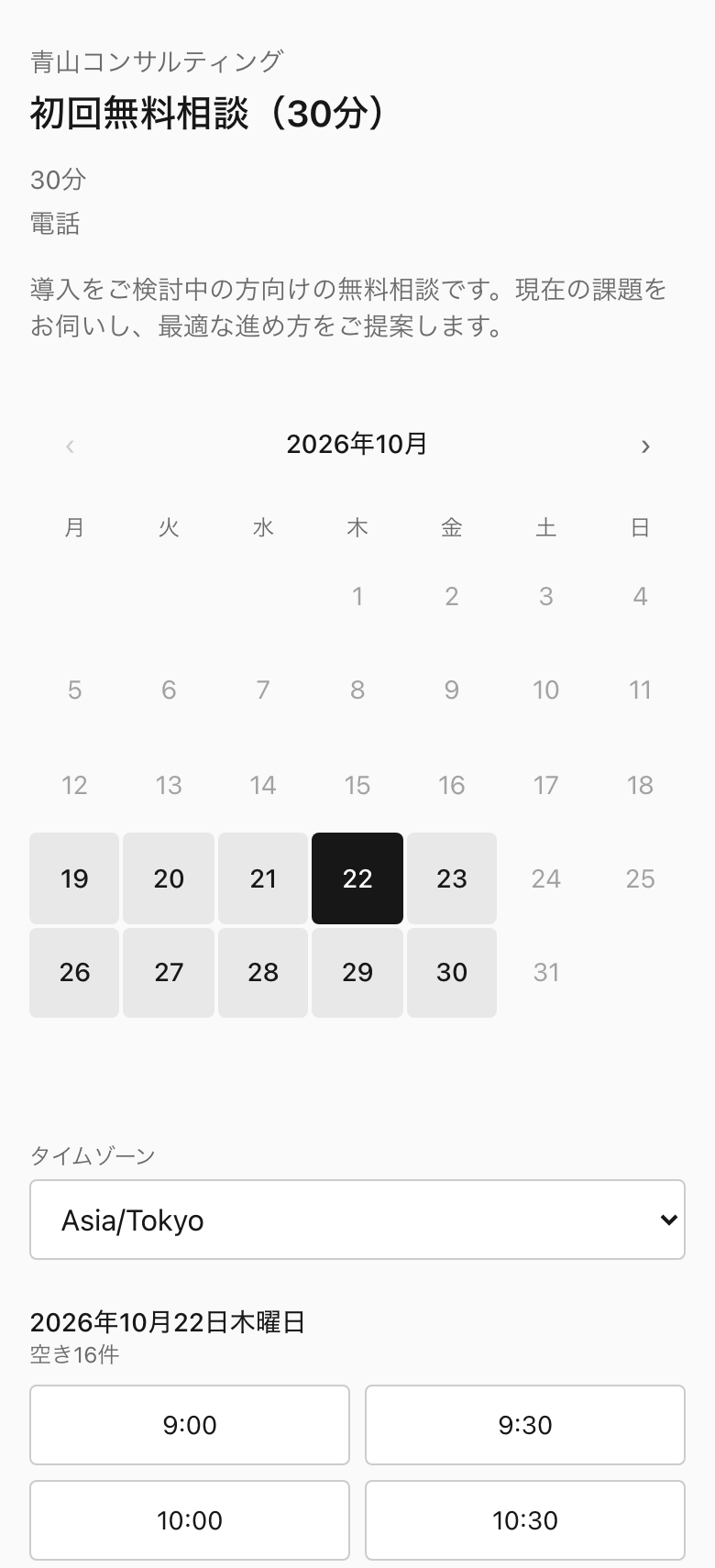
Give customers a booking button in your LINE chat. They choose a service, select an available time and complete payment through Stripe’s secure checkout.
Once payment is complete, their booking is confirmed. With your Official Account connected, the confirmation arrives in LINE.
No more exchanging messages to find a time or sending payment instructions separately.
New to LINE for business? Start here.
You don’t need to understand LINE’s business tools before getting started. We’ll help you work through the setup and connect the parts you need.
- 1Set up your business account We’ll help you create a LINE Official Account—the account customers add as a friend to contact your business.
- 2Get your booking page ready Add your services, appointment lengths, prices and working hours. Connect your calendar and Stripe account to manage availability and accept payments.
- 3Add booking to your LINE chat We’ll help you connect Business Box, add your booking button and test the customer experience before you share it.
Already using LINE? Add online booking.
Keep your existing Official Account and give customers a direct way to book.
We’ll help you connect Business Box and add booking to your chat menu. If you use Lステップ, エルメ or Liny, we can help you add the booking links through your existing tool.
Help me connect my accountEverything you need to manage your appointments
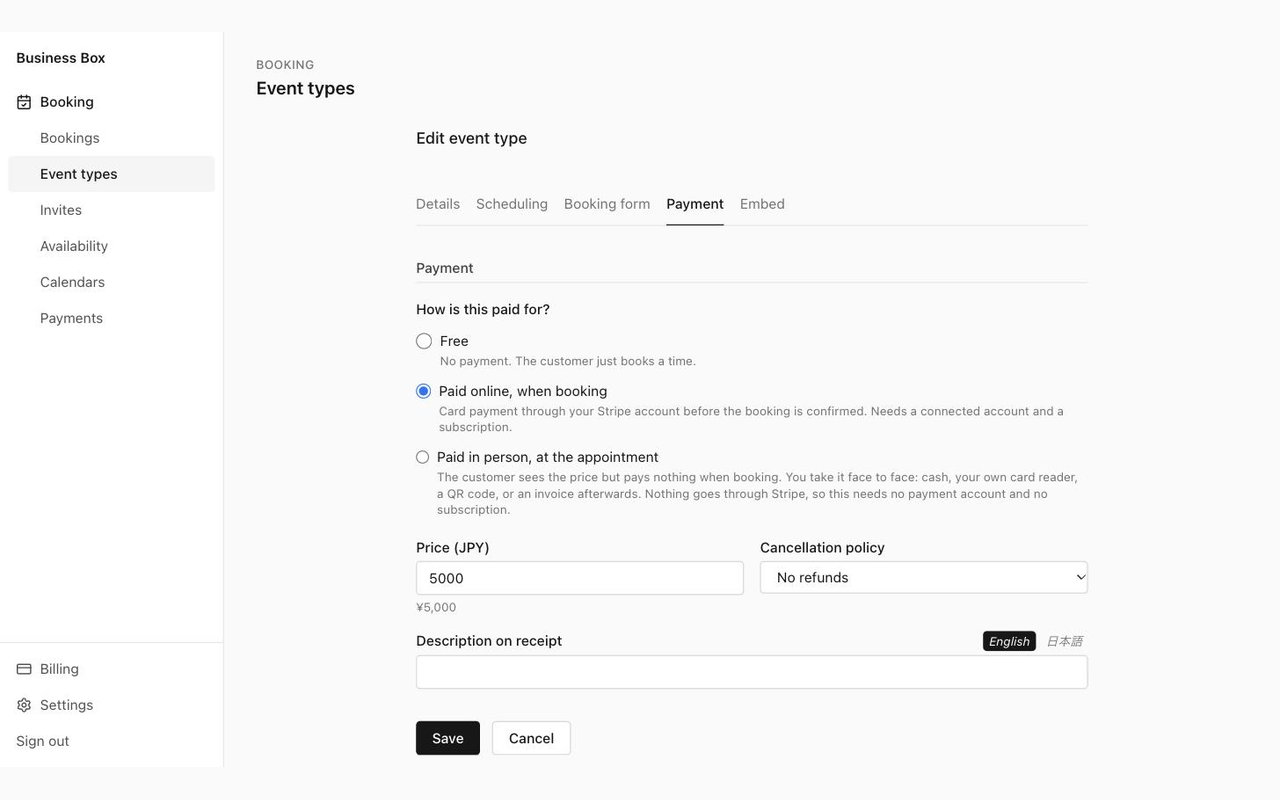
- Accept payment when customers book Collect card payments in Japanese yen before confirming an appointment. Payments go directly to your own Stripe account.
- Keep your calendar up to date Connect Google Calendar or Microsoft Outlook. Existing commitments make those times unavailable for booking, and confirmed appointments are added to your calendar.
- Share bookings across your team Let customers book from your team’s combined availability. Appointments are assigned automatically, and each staff member uses their own calendar and working hours. There are no per-person fees.
- Set a schedule that suits your business Choose your opening hours, allow preparation time between appointments and set daily booking limits. Automatically stop bookings on Japanese public holidays.
- Keep customers informed Send booking confirmations, changes and cancellations through your connected LINE Official Account. Appointment reminders are sent automatically by email.
- Make changes easy Customers can reschedule or cancel within the rules you set. Manage appointments, change the assigned staff member and issue full or partial refunds from Business Box.
- Welcome customers in English and Japanese Booking pages and messages support both languages, helping customers understand your services and complete their booking.
- Take bookings beyond LINE Share your booking link by email or social media, or add a booking form to your website. All appointments appear in the same booking calendar.
One monthly plan. Free setup help.
- LINE booking and notifications
- Online card payments in Japanese yen
- Team bookings with no per-person fees
- Google Calendar and Outlook connections
- Booking pages in English and Japanese
- Booking forms for your website
- Free help setting up or connecting LINE
No minimum contract period. Cancel at any time.
Stripe’s payment processing fees apply separately. LINE Official Account messaging limits and any LINE plan charges also apply.
Get free setup helpWant to explore Business Box first? The Free plan includes online booking and calendar connections, with no time limit or credit card required. LINE integration, online payments and team bookings require the paid plan. Start free.
Frequently asked questions
- Do I need a LINE Official Account already? No. We’ll help you set one up for your business and connect it to Business Box. If you already have an account, we’ll help you use that one.
- Is the setup really free? Yes. There is no separate charge for our setup assistance. LINE booking and online payments require the Business Box paid plan at ¥1,200 per month, including tax.
- Do I need a Stripe account? Yes, to accept online payments. We’ll guide you through connecting an existing Stripe account or creating one. Stripe must approve your account before you can accept payments.
- Do customers need a Business Box account? No. Customers can book through LINE without creating a Business Box account.
- Will every notification arrive in LINE? Booking confirmations, changes and cancellations can be sent through your connected Official Account. Customers need to add the account as a friend to receive these messages. If LINE cannot deliver a notification, Business Box sends it by email instead. Appointment reminders are sent by email.
- Can several customers book places in the same group class? Business Box supports one booking per time slot. It suits individual appointments and private sessions; separate sign-ups for a shared group class are not supported.
Ready to take bookings through LINE?
Tell us whether you’re starting from scratch or already have a LINE Official Account. We’ll help you take the next step.
Prefer email? Write to [email protected]. We reply in English or Japanese. There is more about booking in LINE in the user guide.